Edge Flow or Edge Fail: The Hidden Topology Rules That Define Pro-Level 3D Work
Every beginner eventually gets obsessed with numbers. How many polygons does this character have? Is 50K too low? Is 2 million too high? It's a natural rabbit hole, but here's the uncomfortable truth that most tutorials skip past: poly count is almost never your real problem. Edge flow is.
In AAA game studios and major VFX pipelines, topology review is a standard part of the asset approval process. Models get sent back — sometimes repeatedly — not because they're too dense or too light, but because the edges are going in the wrong direction. That kind of feedback can feel abstract at first, but once you understand the underlying logic, it completely changes how you approach every sculpt.
What Topology Actually Means (And Why It's More Than Geometry)
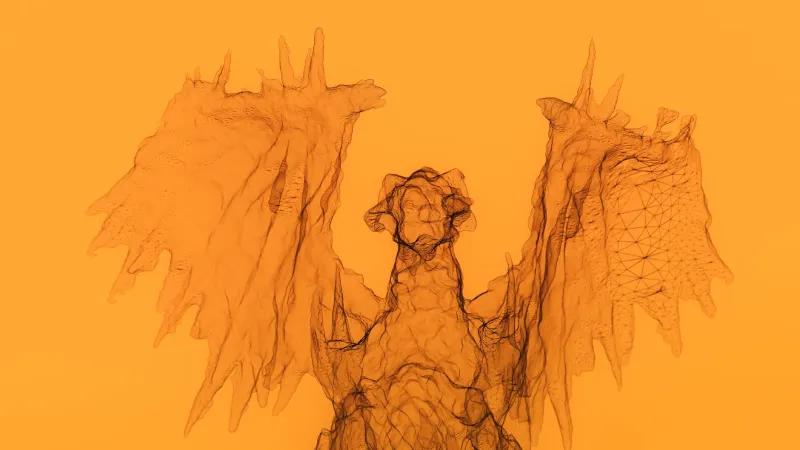
Topology refers to the underlying structure of your 3D mesh — specifically, how polygons are arranged and how edges connect across the surface. Edge flow is the directional pattern those edges create, ideally following the natural contours and stress lines of whatever you're modeling.
Think about a human face. The muscles around the mouth radiate outward in a circular pattern. The eyelids loop concentrically around the eye socket. When your edge loops mirror those organic structures, the mesh deforms naturally during animation. When they don't, you get pinching, collapsing geometry, and that uncanny stiffness that makes digital characters feel like mannequins instead of living things.
This isn't just an animation concern, either. Even for static renders, poor topology creates shading artifacts, makes normal map baking a nightmare, and complicates subdivision workflows. Bad edge flow is a tax you pay at every stage of production.
The Most Common Topology Mistakes Digital Artists Make
Triangles in the wrong places. Tris aren't inherently evil — game engines use them constantly — but dropping a triangle into a deforming area of a mesh (like a shoulder joint or knee) is asking for trouble. Tris don't subdivide cleanly and can cause visible creasing during animation. Keep them in static, low-stress areas whenever possible.
N-gons hiding in plain sight. N-gons (polygons with more than four sides) look fine in your viewport but tend to explode during subdivision. Many 3D artists clean up their work visually without checking polygon count per face, and n-gons slip through. Get into the habit of running a geometry check before you call a model done.
Edge loops that go nowhere. A common sign of inexperienced topology is edge loops that terminate abruptly in the middle of a surface rather than completing a full circuit or terminating cleanly with a pole. These create uneven polygon density and make retopology a headache for anyone who inherits your file.
Ignoring the silhouette when laying out loops. Edge flow should support the model's most important visual lines. On a vehicle, that means body panel edges and crease lines. On a character, it means facial muscle groups and limb joints. When edge loops cross those lines awkwardly, you lose definition and control.
How AAA Games Handle It
In game development, topology is a performance and pipeline concern as much as an artistic one. Characters in titles like God of War or The Last of Us use highly deliberate edge loop structures that balance polygon budget against deformation quality. Rigs are built with the mesh topology in mind — or rather, the topology is built knowing exactly how the rig will stress it.
A common strategy in game pipelines is to establish primary, secondary, and tertiary edge loops. Primary loops define major deformation zones (shoulders, elbows, knees, jaw). Secondary loops add volume and support subdivision. Tertiary loops handle fine surface detail. Each level has a purpose, and none of them are added just to increase poly count.
Retopology artists — sometimes called "topo artists" in studio credits — specialize in taking raw sculpts from ZBrush or Mudbox and rebuilding the mesh with intentional structure. It's a discipline in itself, and studios like ILM and Weta Digital have entire teams dedicated to it.
Film VFX: When Topology Gets Extreme
In visual effects, the stakes around topology get even higher because models often need to hold up under extreme close-ups, simulation (cloth, muscle, fat jiggle), and procedural deformation. A creature that needs to breathe, blink, and snarl requires topology that supports all three simultaneously.
VFX pipelines often use multi-resolution workflows where the same asset exists at different polygon levels — a low-res cage, a mid-res animation mesh, and a high-res render mesh. All three need to share compatible topology so that displacement and normal data transfer cleanly between levels. If the base topology is sloppy, the entire stack falls apart.
Film productions also frequently deal with digital doubles — hyper-realistic digital versions of human actors. The topology for these assets is almost anatomically precise, with edge loops mapped directly to facial action units (the same system used to code expressions in the FACS system). That level of intentionality doesn't happen by accident.
Practical Steps to Improve Your Topology Game
Study reference meshes. Many game studios have released assets through educational programs or GDC talks. Spend time looking at how professional topology artists structure their loops — not just what looks good, but why edges go where they do.
Retopo your own sculpts deliberately. Don't just auto-retopo and move on. Do it manually on at least some of your projects. The process of rebuilding a mesh with intention forces you to think about edge flow in a way that passive observation never will.
Animate your test meshes. Even if you're not an animator, running a quick deformation test on your character models reveals topology problems instantly. Pose the arms, open the mouth, bend the knees. You'll see exactly where your edge loops are failing.
Learn to love poles. Poles (vertices where more or fewer than four edges meet) are unavoidable, but controlling where they appear is a skill. Placing poles in low-stress, low-visibility areas keeps deformation clean and subdivision predictable.
Topology isn't glamorous. Nobody's posting edge loop breakdowns on Instagram and going viral. But it's the difference between work that holds up under scrutiny and work that falls apart the moment someone actually uses it. That gap is exactly where professional-grade craft lives.