Hidden Costs of a Pretty Sculpt: How Topology Decisions Come Back to Haunt You
There's a particular kind of silence that falls over a production pipeline when a rigger opens a character file and realizes the mesh is a disaster. No one says anything right away. They just stare at the viewport, mentally calculating how many hours it's going to take to fix what should have been handled weeks ago.
This is the topology tax — the compounding interest on every lazy edge loop, every chaotic pole, every mesh decision you made in the sculpting phase without thinking two steps ahead. And unlike a software bug or a missed deadline, it doesn't announce itself all at once. It bleeds out slowly, through every downstream stage of production, quietly inflating hours and draining morale.
The Sculpting Phase Isn't an Island
Here's the mindset problem at the core of this: a lot of sculptors — especially those coming up through ZBrush or Nomad Sculpt — think of the sculpting phase as a closed creative loop. You push and pull geometry until the character looks right. Done. Someone else's job from here.
But that's not how production works. That beautiful high-poly sculpt is going to get retopologized, UV unwrapped, textured, rigged, animated, and rendered. Every one of those stages is downstream from the decisions you're making right now, and every one of them can be made significantly harder by mesh structure that wasn't built with them in mind.
The geometry you're generating at 20 million polygons isn't going anywhere near a game engine or a renderer in its raw form. But the decisions you're making at that level — where you're placing detail, how you're building up forms, where your density is concentrated — those absolutely influence how the retopology goes. And how the retopology goes determines everything else.
Where Things Actually Break Down
UV mapping is usually the first place a bad topology decision makes itself known in a painful way. When retopology produces uneven polygon distribution or awkward transitions between high-density and low-density areas, UV unwrapping becomes a puzzle with no clean solution. Seams end up in visible places. Texel density goes haywire. You can throw hours at a UV map trying to compensate for geometry that just wasn't laid out with unwrapping in mind, and you'll still end up with compromises.
For character work especially, facial topology is the minefield. The area around the eyes, mouth, and nose needs to support both clean unwrapping and natural deformation — two goals that don't always point in the same direction. Sculptors who concentrate all their detail work in those areas without thinking about edge flow are essentially handing the retopo artist an impossible geometry problem.
Deformation artifacts are the second wave. This is where rigging and animation teams start sending emails with screenshots attached. Shoulder deformations that crumple. Jaw lines that pinch on open mouth shapes. Elbow creases that turn into shards of geometry when the arm bends past 90 degrees. These aren't rigging failures — they're topology failures that rigging is being asked to compensate for.
Proper edge loops around joints aren't just a technical nicety. They're load-bearing infrastructure. When they're missing or misplaced, the skin weighting process becomes a heroic attempt to paper over structural problems. Sometimes it works. Often it doesn't, and the character has to go back for mesh corrections anyway — which means every downstream asset built on top of that mesh (UV maps, textures, blend shapes) potentially needs to be rebuilt too.
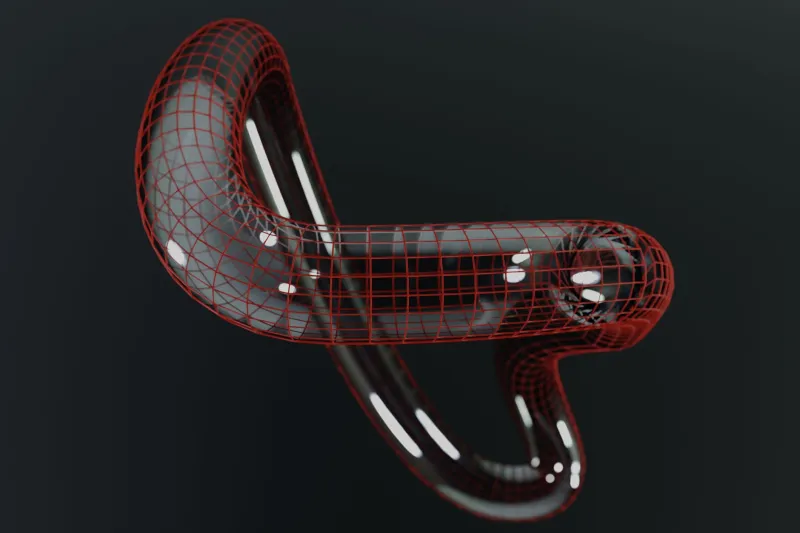
Rendering bottlenecks tend to show up last, but they can be the most expensive in terms of raw compute time. Uneven polygon distribution — massive density in some areas, relative sparseness in others — creates inefficient geometry that renderers don't handle gracefully. Subdivision levels compound the problem. What looks like a minor density inconsistency at base resolution can balloon into a render-time nightmare once you're pushing subdivision modifiers through a Mantra or Arnold pipeline.
Building a Topology-Aware Sculpting Practice
None of this means you need to stop sculpting organically or start thinking like a technical artist in the middle of a creative flow state. It means building a few mental checkpoints into your process.
Before you go deep on surface detail, block out your primary forms with retopology in mind. Where are the joints? Where will the UV seams most naturally fall? Where does your character's face need to support extreme expressions? These aren't questions that interrupt the creative process — they're questions that protect it by ensuring your sculpt can actually make it through production intact.
Use reference topology as a guide, not a crutch. There's a reason the same general edge loop patterns show up across professional character work. They're not arbitrary conventions — they're solutions to problems that every production encounters. Studying how experienced riggers and retopo artists structure geometry around the face, shoulders, and knees will give you an intuitive sense of what to aim for, even when you're deep in a freeform sculpt.
Communicate early with downstream collaborators. If you're working in a team environment, a five-minute conversation with your rigger before you finalize a sculpt can save everyone hours. Ask what their deformation priorities are. Find out if the character has specific animation requirements — lip sync, extreme facial expressions, cloth simulation — that should influence where you're building detail density. That conversation is free. The alternative isn't.
For solo artists wearing every hat, the solution is simpler but requires discipline: leave time between sculpting and retopology to look at your work fresh. It's remarkably easy to retopologize your own sculpt in a way that mirrors all the same structural decisions you made during sculpting — including the bad ones. Distance helps you see the mesh more objectively.
The Real Cost of Ignoring This
The topology tax isn't just about technical problems. It's about the cumulative effect those problems have on the people working with your files and, ultimately, on the quality of the finished work. Characters that can't deform cleanly get fewer animation passes. Textures that had to fight with bad UVs end up looking softer than they should. Render times that bloat because of inefficient geometry eat into the schedule everyone else is working against.
Your sculpt is the foundation of everything that comes after it. Building it beautifully at the surface level while ignoring its structural integrity isn't really building it beautifully — it's just deferring the cost to someone else, at a higher price.
The artists who consistently deliver work that makes it through production without drama aren't necessarily the most technically rigid sculptors. They're just the ones who learned to think a few steps ahead. That's a skill worth building, and it starts the next time you open a new scene and start blocking out your first forms.